

Contact preferences
Manage and respect supporter communication preferences
Contact preferences record whether a supporter will take email, SMS or phone calls from a group, and respecting them is best practice as well as a legal requirement in many countries.
Viewing supporter contact preferences
All users (admins, captains, and vice-captains) can see a supporter's preferences on their profile.
- A channel the supporter has opted out of (e.g. email, SMS, phone calls) appears greyed out at the top of their profile.
- A channel is also greyed out when valid details are missing (e.g. no phone number on file). Add the details and the supporter becomes contactable, unless they have opted out.
The group-wide list
Admins and captains can also view a consolidated list of preferences for their group, by clicking Supporter contact preferences on the main group page, which shows ticks or crosses for each supporter across the different channels.
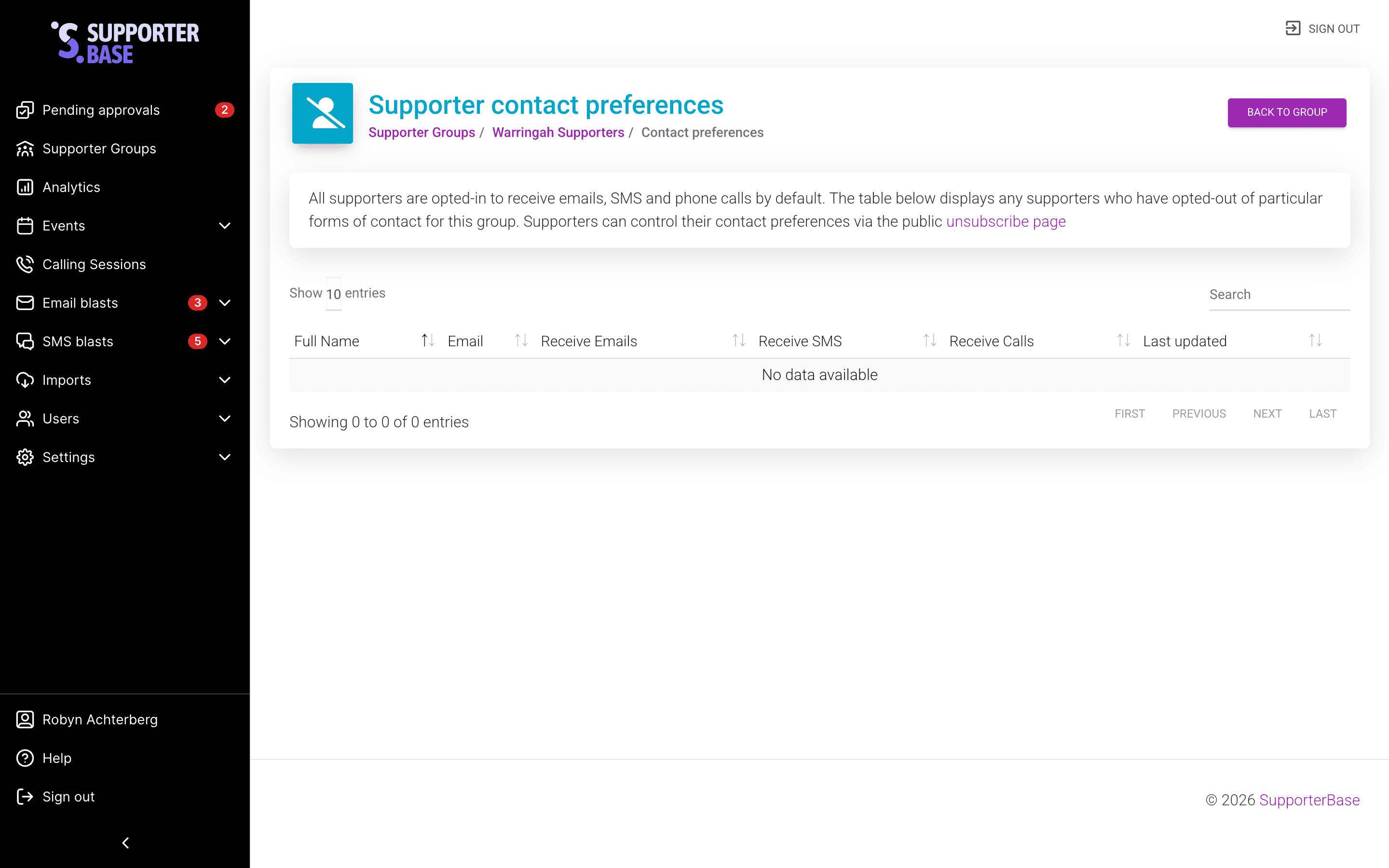
Updating supporter contact preferences
There are three ways supporter preferences can be updated.
1. Via NationBuilder
Admins decide whether SupporterBase automatically honours NationBuilder contact preferences, using a toggle under Settings > Configurations. With the toggle disabled, supporters are contactable by default until they opt out via SupporterBase.
2. By the supporter themselves
On your SupporterBase unsubscribe page (e.g. yourorg.supporterbase.com/unsubscribe), supporters manage their own preferences. On this page they:
- Identify themselves by email.
- Select the relevant group.
- Choose which channels (SMS, email, phone) they want to opt out of, or unsubscribe entirely.
Hidden vs unlisted groups
Groups set to Hidden do not appear on the public unsubscribe page, but Unlisted groups do.
3. Directly by group leaders
Captains and admins can update preferences from within a supporter's profile (link under their name), or within an SMS/email thread.
Important: preferences are per-group
Contact preferences are per-group, not organisation-wide
A supporter may want to opt out of one group's messages while staying in touch with another. If someone wants to stop receiving all communications, they need to be unsubscribed from each group they belong to in SupporterBase, and marked unsubscribed in NationBuilder as well.