

Calling session statuses and skip types
Every supporter status, session status and skip type inside a calling session
Every supporter in a calling session carries a status, and so does the session itself. The statuses decide who is in the queue, and the skip types decide when somebody comes back to it.
Statuses
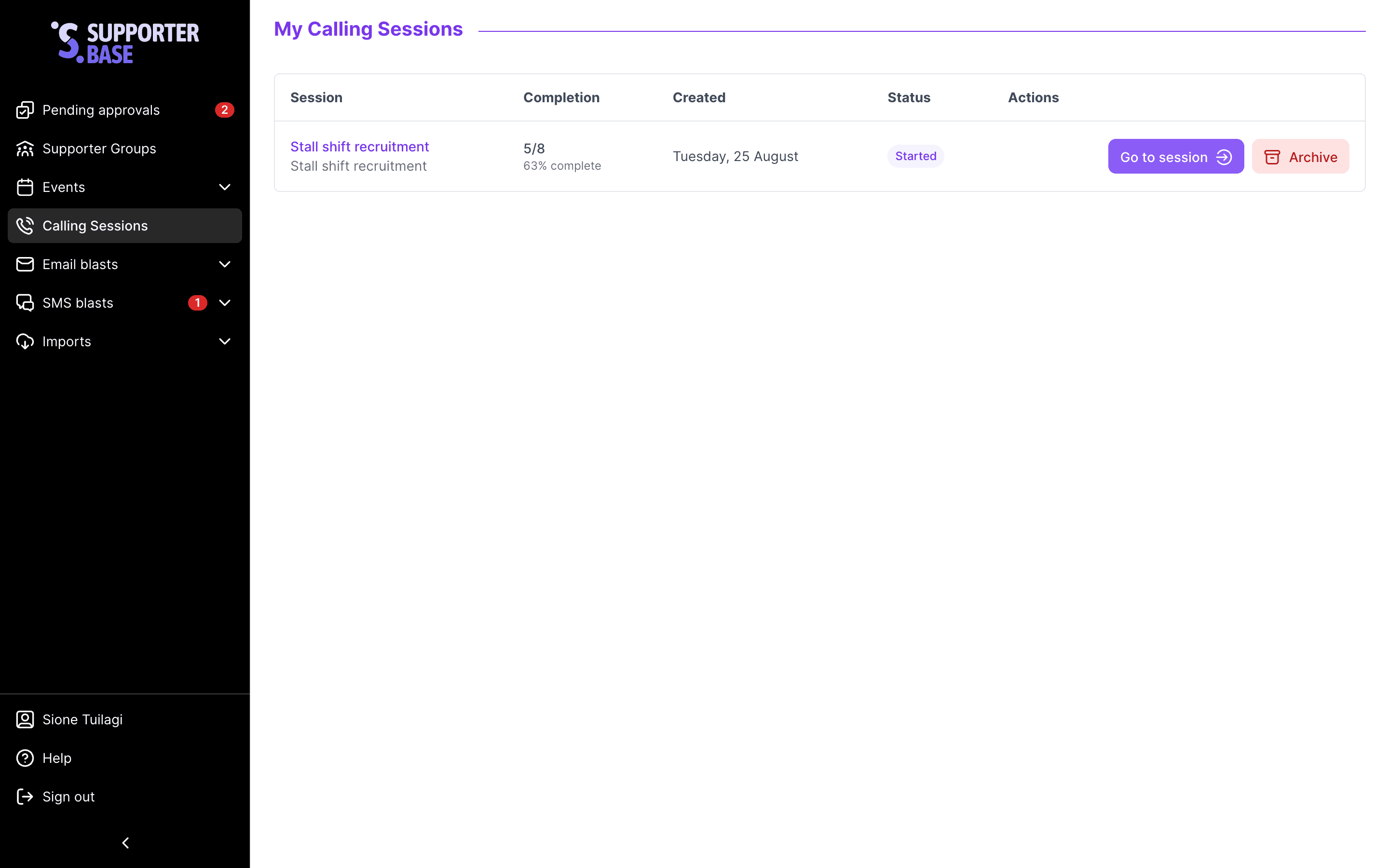
Session statuses
These appear on the Calling sessions index page in the status column.
- Not started: no calls have been made and no supporters have been skipped in this session. The session was created but never worked.
- Started: at least one call has been attempted or one supporter has been skipped, but no call is currently in progress. This is the typical "paused" state you return to when you pick a session back up later.
- In Progress: a call is actively happening right now. Another leader opening it would see a live banner indicating an active call.
- Completed: every available supporter in the session has been called through to a final outcome. The session remains accessible for review but no longer has active supporters to call.
Supporter statuses inside a session
Each supporter in a calling session carries a status that controls whether they're in the queue and how they appear in the data table.
| Status | What it means |
|---|---|
| Available | The supporter is ready to be called in the current cycle. No skips, no unavailability, not yet contacted |
| Unavailable | A system-set state meaning the supporter can't be called right now, usually because they were recently contacted and a cooldown is in effect. Shows with a grey badge and a tooltip like "Recently called, available in 18 min". They stay in the queue and are rechecked automatically when the cooldown expires |
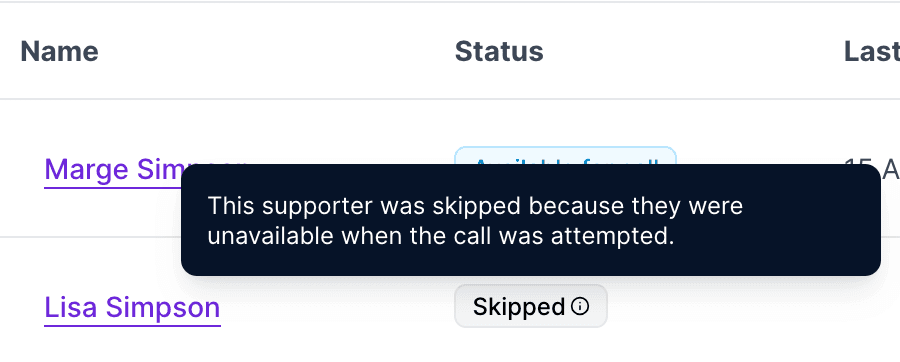
| Skipped (system) | The system passed over this supporter in the current cycle, for example because they were unavailable when the call flow reached them. Shows the Skipped badge, with a tooltip explaining the system reason (for example, "Recently called, returns next cycle"). Returns in the next cycle automatically |
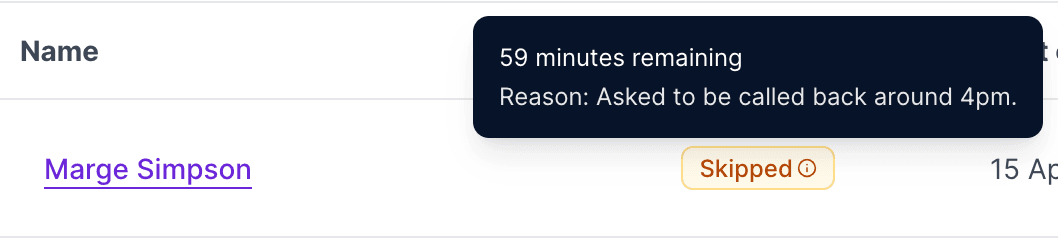
| Skipped (by leader) | You or another leader manually skipped this supporter using the Skip for... action. Shows the same Skipped badge, and the tooltip is how you tell them apart: for leader skips it shows the skip type, the time remaining or return date, and the reason (if one was given). See the skip types section for the five variants |
| Not callable | The supporter can't be called at all, usually because they have no valid mobile number, or they've opted out of phone contact for this group. They remain in the session for visibility but never enter the active queue. Fix by updating their phone number or contact preferences, and see phone troubleshooting |
| Completed | The supporter has been successfully called and a contact outcome has been logged. Green tick. Completed supporters stay out of the queue for the rest of the session, even across cycle resets |
Skip types
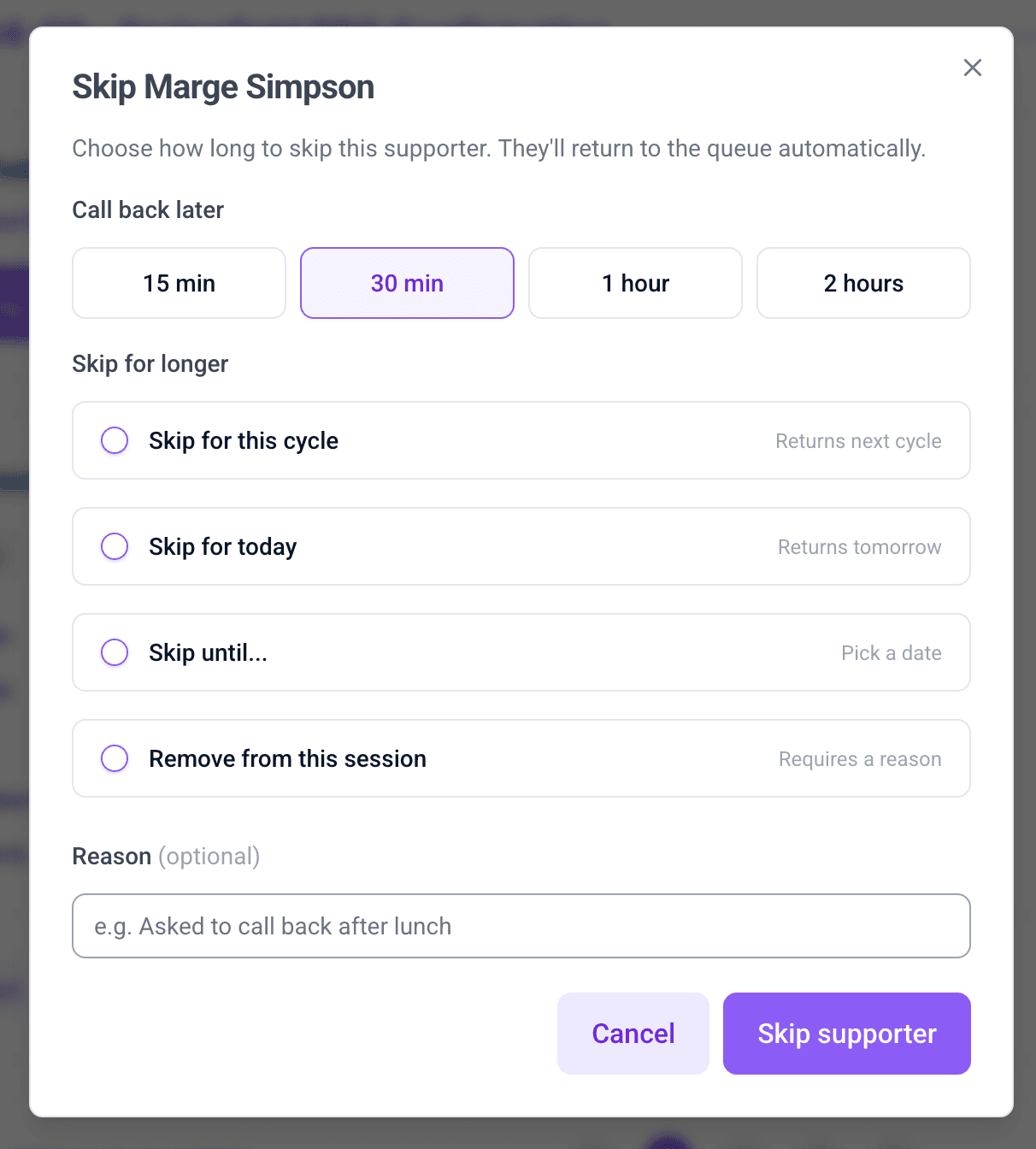
Five variants, each with different return behaviour.
| Skip type | Hint shown | Use it for | Returns to the queue |
|---|---|---|---|
| Call back later: 15 min, 30 min, 1 hour, 2 hours | The duration on the chip | Mid-call "call me back in 30 minutes" requests | After the duration you picked |
| Skip for today | Returns tomorrow | "Try me tomorrow", or "not today, I'm in meetings" | Start of the next day, in your organisation's timezone |
| Skip until... | Pick a date | They're travelling, on leave, or asked for a specific future date | Start of the date you pick |
| Skip for this cycle | Returns next cycle | You'll run another cycle and want to try them on the next pass, but not now | When you click Start calling cycle |
| Remove from this session | Requires a reason | Wrong number, asked not to be contacted, or otherwise shouldn't be called in this session | Never |
- The dialog is headed Skip [name] and splits into two groups: Call back later at the top, then Skip for longer.
- The four Call back later durations are chip buttons at the top of the skip dialog, a single click each.
- Return times are calculated server-side, and your browser's clock can't shift them. Skip for this cycle expires as part of the cycle reset.
- A reason is optional on every skip except Remove from this session, where it is required. Whatever you write is what the next caller sees.
- Remove from this session is permanent: it takes the supporter out of every cycle in this session, and the mandatory reason creates an audit trail for why.
This doesn't remove them from the call list
"Remove from this session" only affects the current calling session. The supporter stays on the underlying call list, so future sessions on that list will still include them. To remove someone permanently, edit the call list itself.
Log contact fields
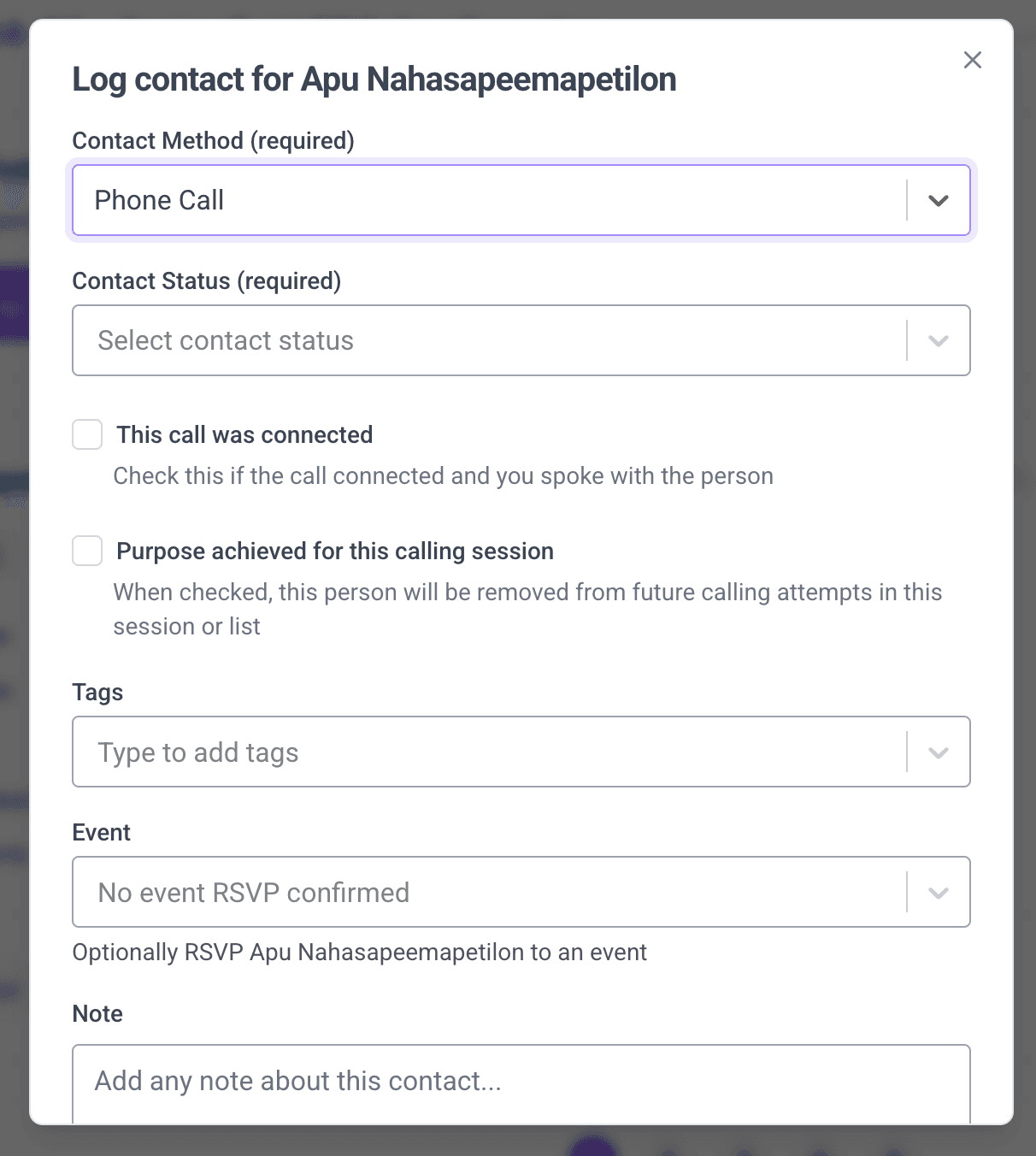
The Log contact dialog is titled "Log contact for [name]", and it is the whole record of a call.
| Field | Options and hints |
|---|---|
| Contact method | Phone call, Email, Text or In person. Defaults to Phone call in a calling session |
| Contact status | Answered, Bad info, Inaccessible, Left message, Meaningful interaction, Not interested, No answer, Refused, Send information or Other. This is what happened on the call |
| Contact outcome | Successful or Unsuccessful. Its hint is the definition to use: "Record if this contact was successful or unsuccessful in achieving the purpose of this calling session/list" |
| This call was connected | Tick if the call connected and you spoke with the person |
| No further contact attempts needed | Hint: "this person will be removed from future calling attempts in this session or list". Ticking it marks the supporter complete in your session, on the underlying call list, and in every other calling session built on that list |
| Event | Optionally RSVP them to an event. Events at capacity are marked full |
| Add to call list | Optionally add them to another call list for follow-up |
| Note and tags | Free text, and tags you can search or create inline |
How statuses change
Cycle reset behaviour
When you click Start calling cycle, here's what happens to each supporter:
| State | After cycle reset |
|---|---|
| Available | Still available |
| Unavailable (cooldown) | Rechecked. Available if cooldown expired. |
| Skipped: this cycle | Returned to queue (skip expires) |
| Skipped: quick duration / today / custom date | Skip unchanged. Returns when its own expiry fires. |
| Skipped: remove from session | Still out. Permanent skips survive cycle resets. |
| System-skipped | Rechecked |
| Not callable | Still not callable |
| Completed | Still completed. Doesn't re-enter the queue. |
Unavailable vs Skipped
These two badges look similar but mean different things.
- Unavailable is set before the call flow reaches a supporter, usually a cooldown from a recent call, evaluated at session creation or when cycling.
- Skipped is set during the call flow, either by the system (when it passes over an unavailable supporter) or by you (via Skip for...).
- A supporter can move from Unavailable to Skipped during a cycle. They start with a cooldown badge, and switch to the skipped badge once the call flow reaches them and skips past.
- Only leader skips can be cleared by hand, with Remove skip on the supporter's three-dot menu. System skips clear themselves.
Who can do what
| Action | Admin | Captain | Vice-captain |
|---|---|---|---|
| Create a calling session | ✅ | ✅ | ✅ |
| Run a session (make calls) | ✅ | ✅ | ✅ |
| Skip / unskip supporters | ✅ | ✅ | ✅ |
| Move a supporter to Call next | ✅ | ✅ | ✅ |
| Start calling cycle | ✅ | ✅ | ✅ |
The index page is titled My calling sessions: captains and vice-captains see only the sessions they created, and admins see everyone's.
Further reading
Calling sessions guide
Full task-oriented guide to running sessions.
First calling session tutorial
Create a calling session, work the queue, and start a second cycle.
Call lists vs calling sessions
The mental model for how they fit together.
Phone troubleshooting
Fix not-callable supporters and related issues.