

Log into SupporterBase and change your password
Accept your invitation, set up your account, log in, and use helpful shortcuts
SupporterBase is invite-only. You need an invitation to set up your account and start using the platform.
If you have been asked to log in but have not received an invite, contact your local organiser or campaign contact to request one.
Accepting your invitation
Find the email
Check your email for a message from SupporterBase with the subject line: "Your SupporterBase invitation".
Check the role and group
Open the email. You will see the role you have been assigned (captain or vice-captain) and the name of your group.
Click the link
Click the invitation link to begin account setup.

Setting up your account
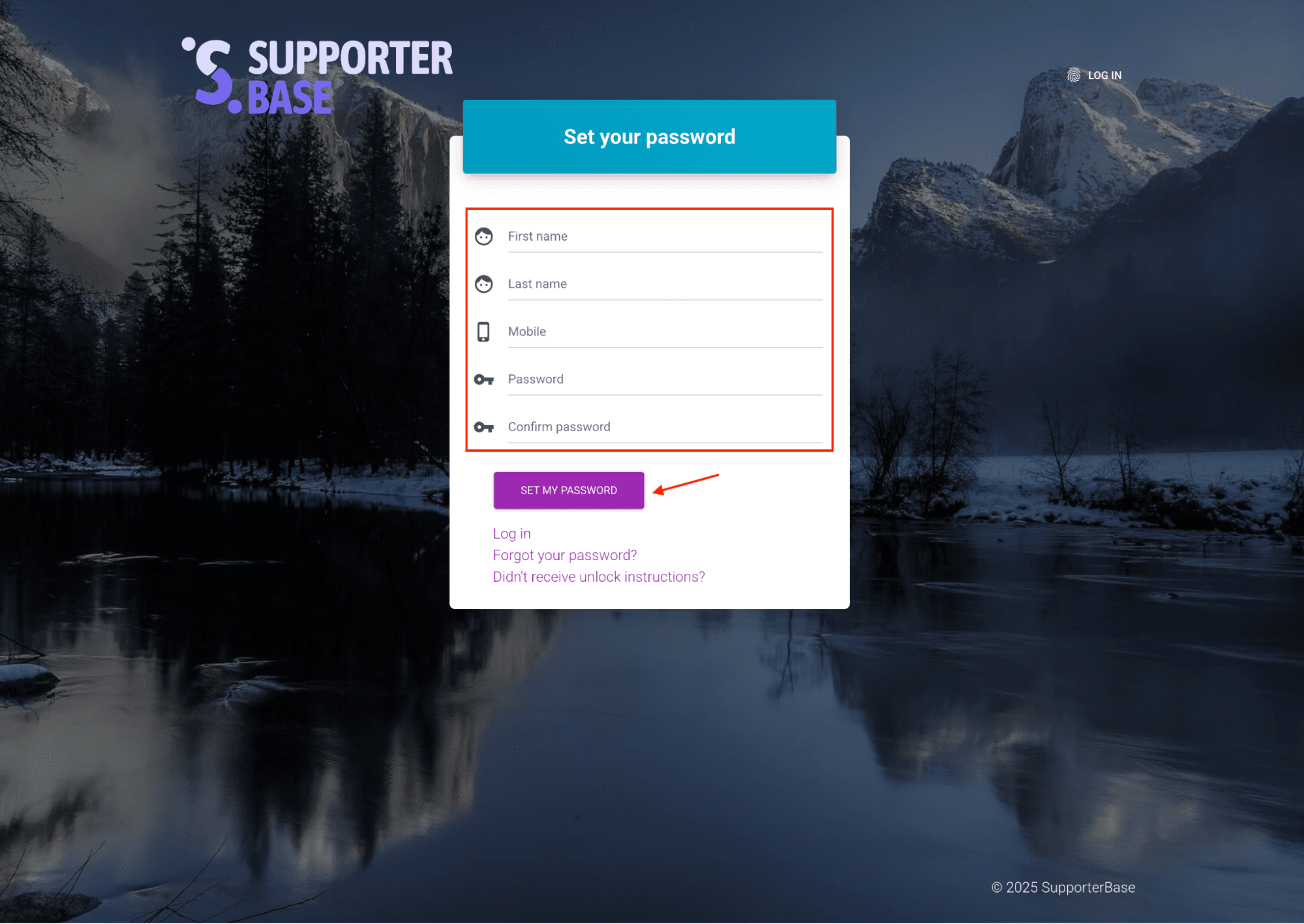
Open the registration page
The link will open a SupporterBase registration page in your browser.
Enter your details
Enter your first and last name, your mobile number, a password of at least six characters, and the same password again to confirm.
Set your password
Click Set my password to finish account creation.
Logging in for the first time
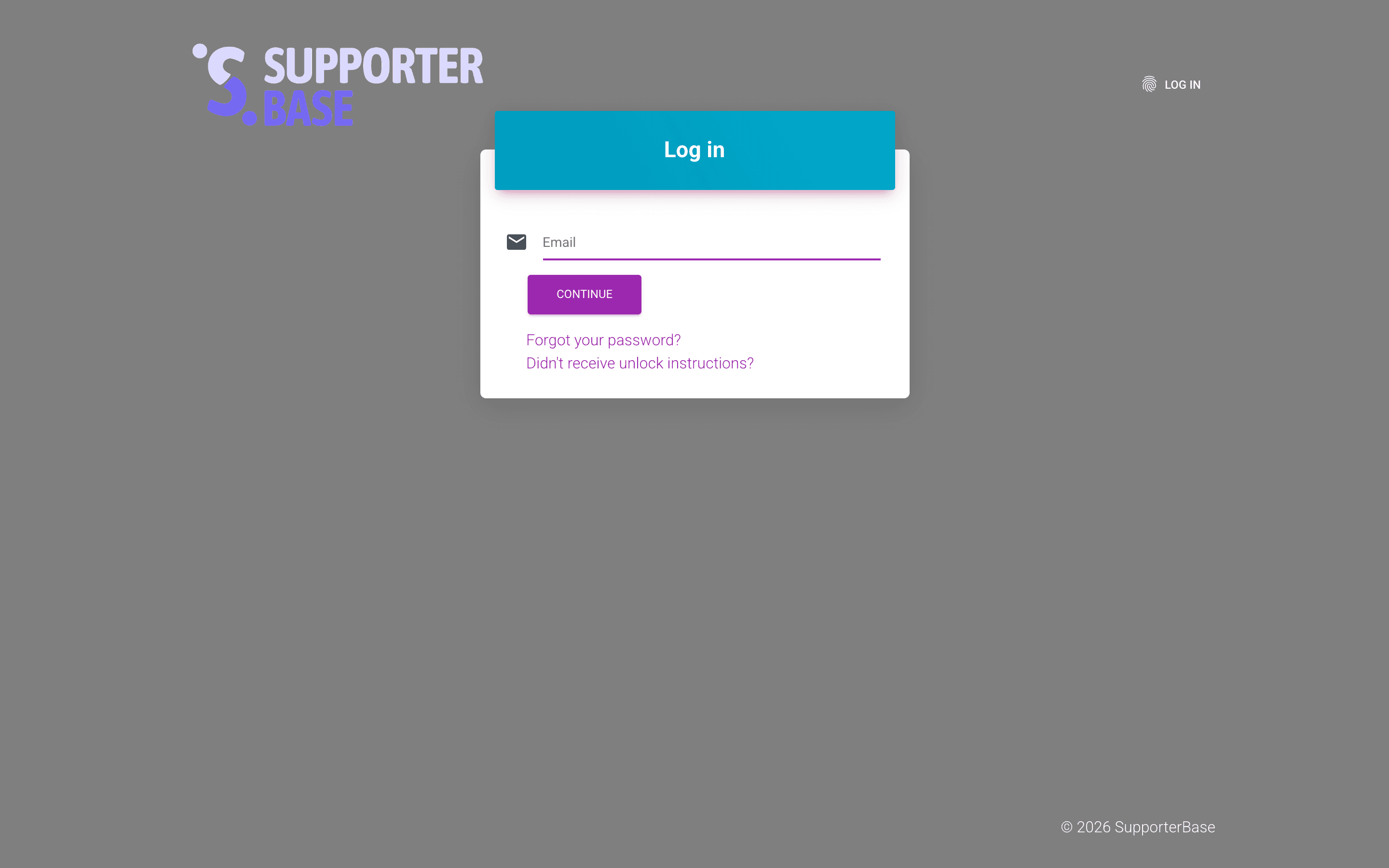
- Go to your SupporterBase login page.
- Enter your email address and click Continue.
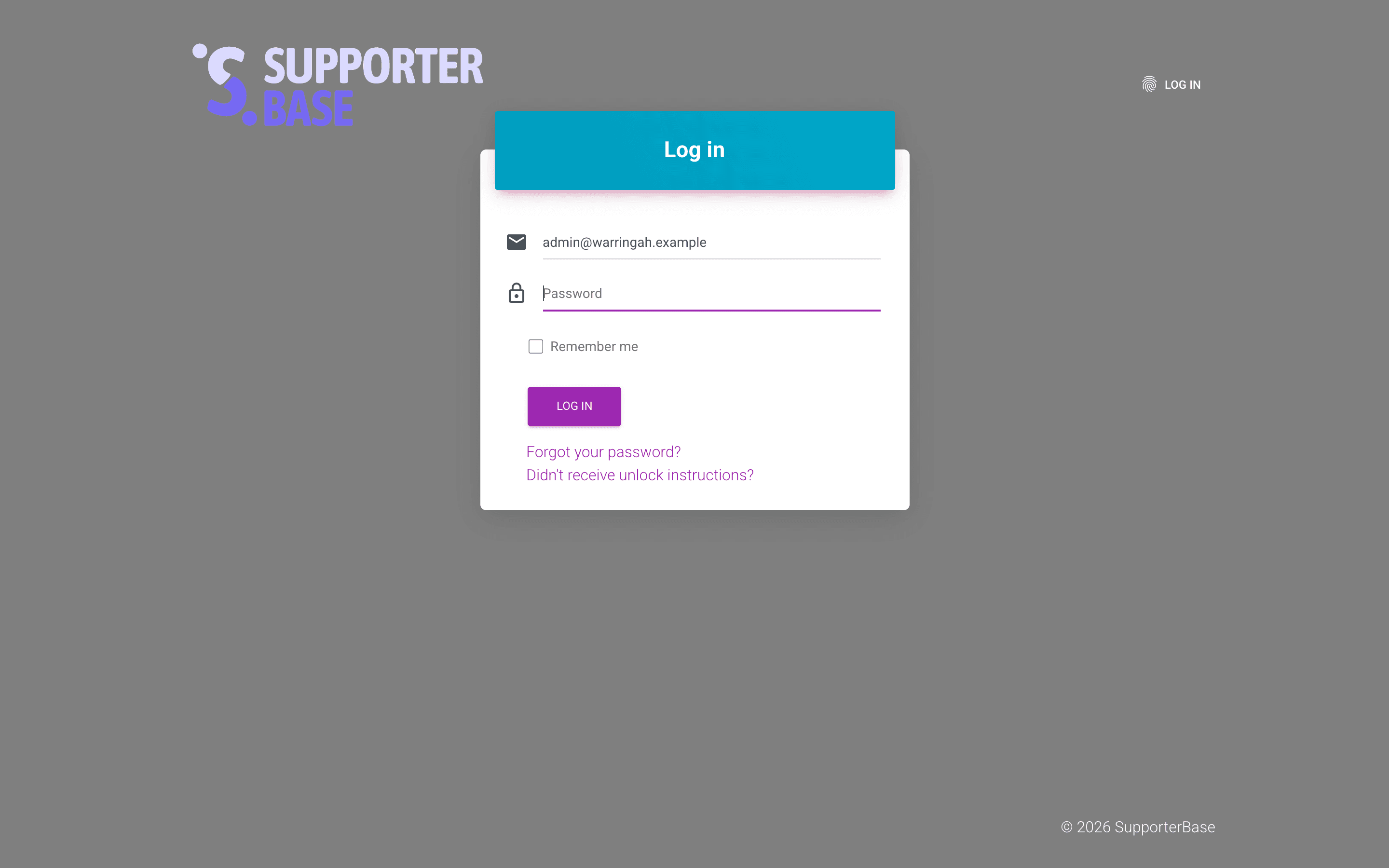
- Enter your password.
- Click Log in to access your account.
Faster logins
Use 'Remember me' + bookmarking for one-click login
Tick Remember me when you log in so your details are saved. It appears on the second step, with the password field, not on the first screen where you enter your email. Then bookmark your SupporterBase URL so you can get back in one click.
Troubleshooting
Forgot your password?
- On the login page, click Forgot your password?
- Enter your email address.
- Click Reset password.
- Check your inbox for instructions.
Did not receive your invite?
Ask an admin to resend it, which they can do from Users > Admins or Users > Captains & vice-captains. There is no way to resend your own invitation from the login page.
Unlocking your account
Didn't receive unlock instructions? on the login page does something different. It emails instructions for unlocking an account that has been locked after five failed sign-in attempts.