

Welcome new sign ups to groups
Track and notify group leaders when new supporters join
SupporterBase can notify group leaders by email whenever someone joins a group through its public signup form. This guide covers how to enable those notifications, configure who receives them, and track when supporters joined.
Enabling new supporter notifications
Open the mailer settings
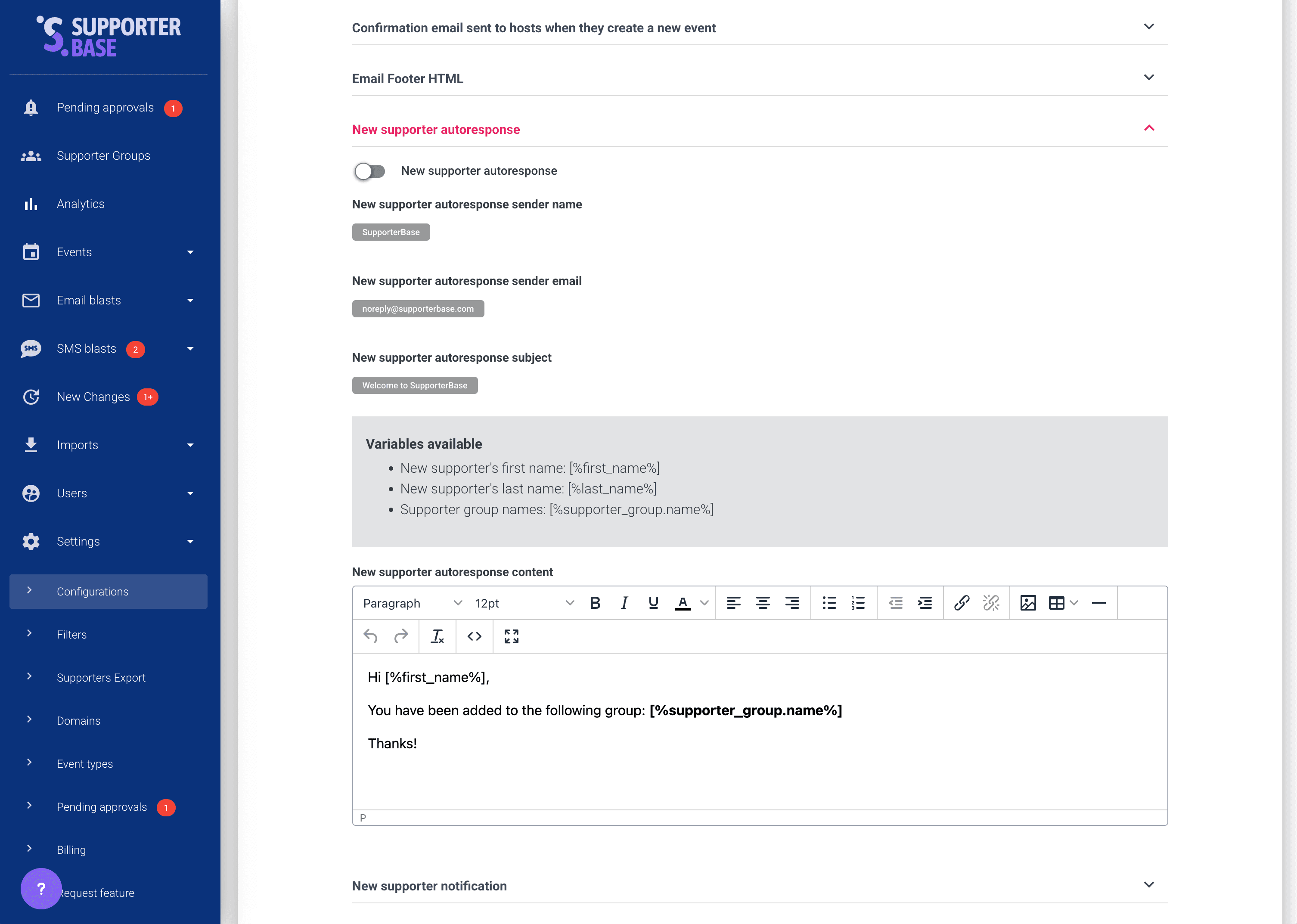
Go to Settings > Configurations > Mailers.
Turn the notification on
Under New supporter notification, turn on Send new supporter notification. It is off by default.
Public page sign-ups only
These individual notifications are triggered for sign-ups via the public page form, and when a leader adds a supporter by hand and ticks Send notification to group leaders on the add supporter form. Supporters added by imports or auto-tagging do not generate one. Those people are still picked up by the weekly new group members digest, which counts everyone who joined a group regardless of how they were added.
Ensuring personal notifications are enabled
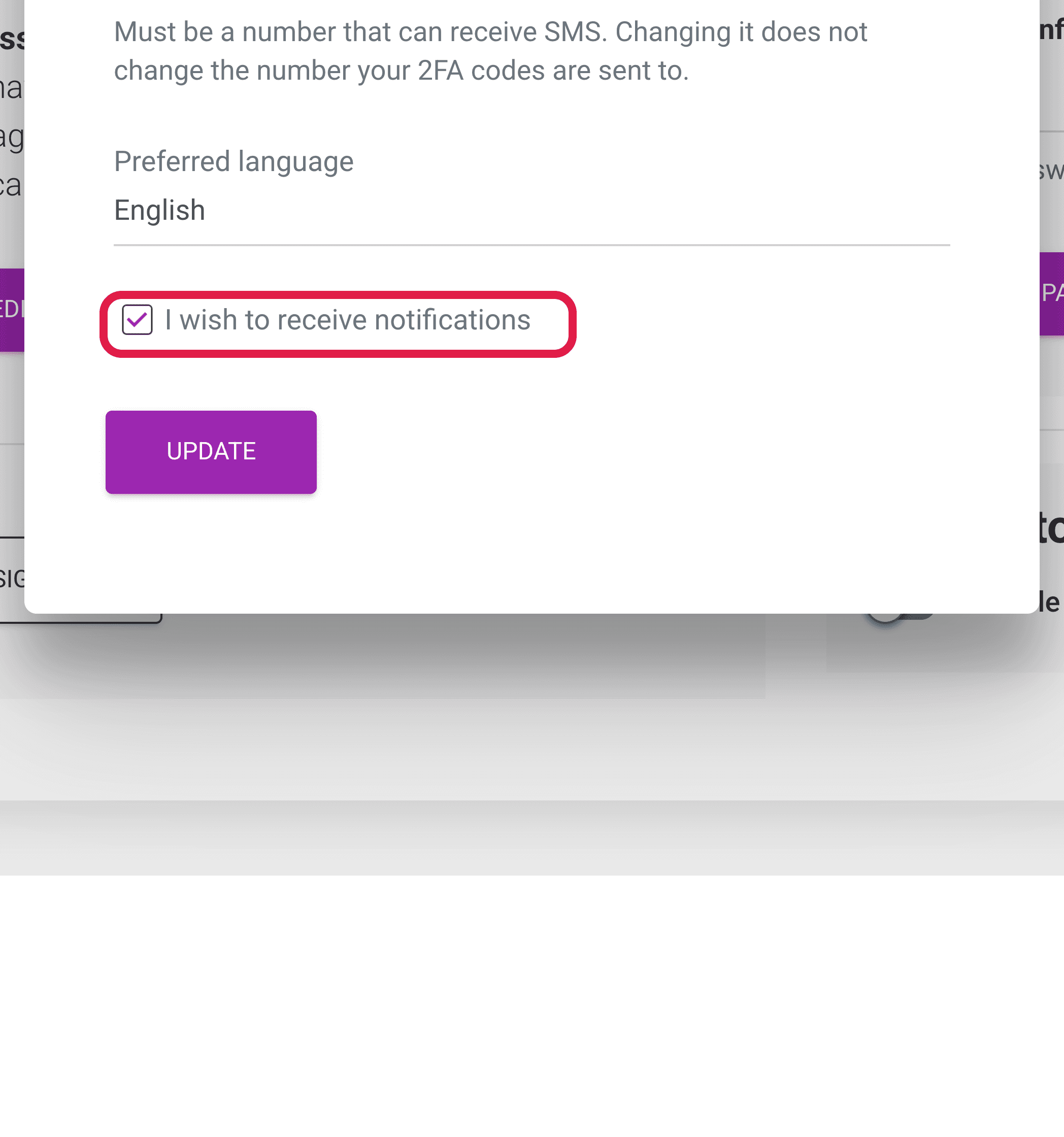
Each group leader must also enable email notifications in their personal user profile.
- Click on your name in the left-hand menu.
- Check whether emails are enabled for your account under the Email setting in your profile.
Choosing who receives group notifications
Within each group, you can set which leaders get notifications. This includes new sign-ups and other alerts such as bulk communication approvals.
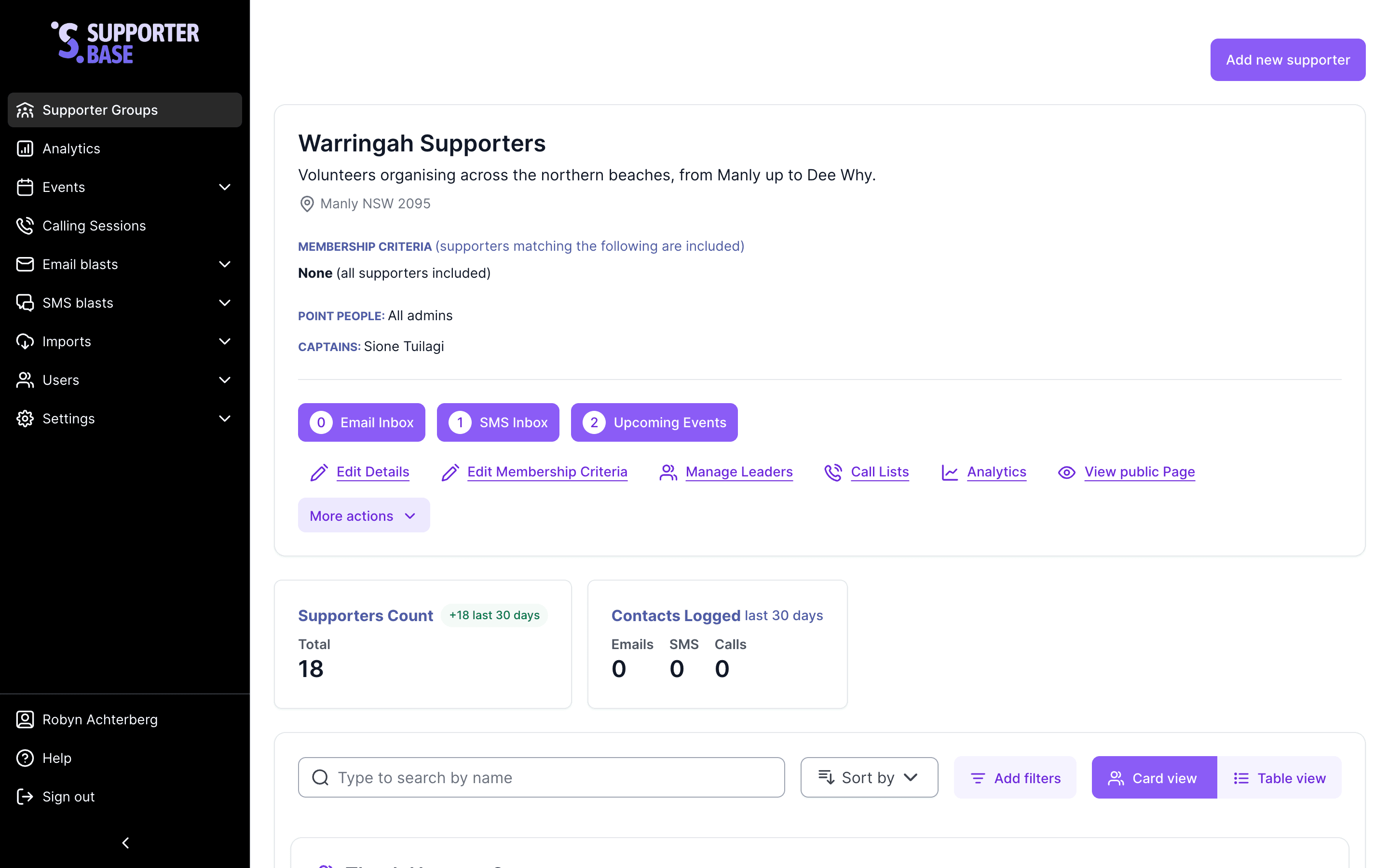
Turn on point people
Scroll to Add point people and tick it.
Choose who is notified
Choose one of the dropdown options:
- Assign all admins: Every admin receives notifications.
- Assign specific admins: Nominate which admins receive notifications, in the Point People picker beside the dropdown.
- If you choose Assign specific admins and leave the picker empty, the new supporter notification goes only to the group's captains and vice-captains.
Tracking when supporters joined
Leaders can use supporter profiles and filters to see when people joined:
- Joined organisation: Date they were added to your nation.
- Joined group: Date they joined this specific group.
Sorting a group by join date
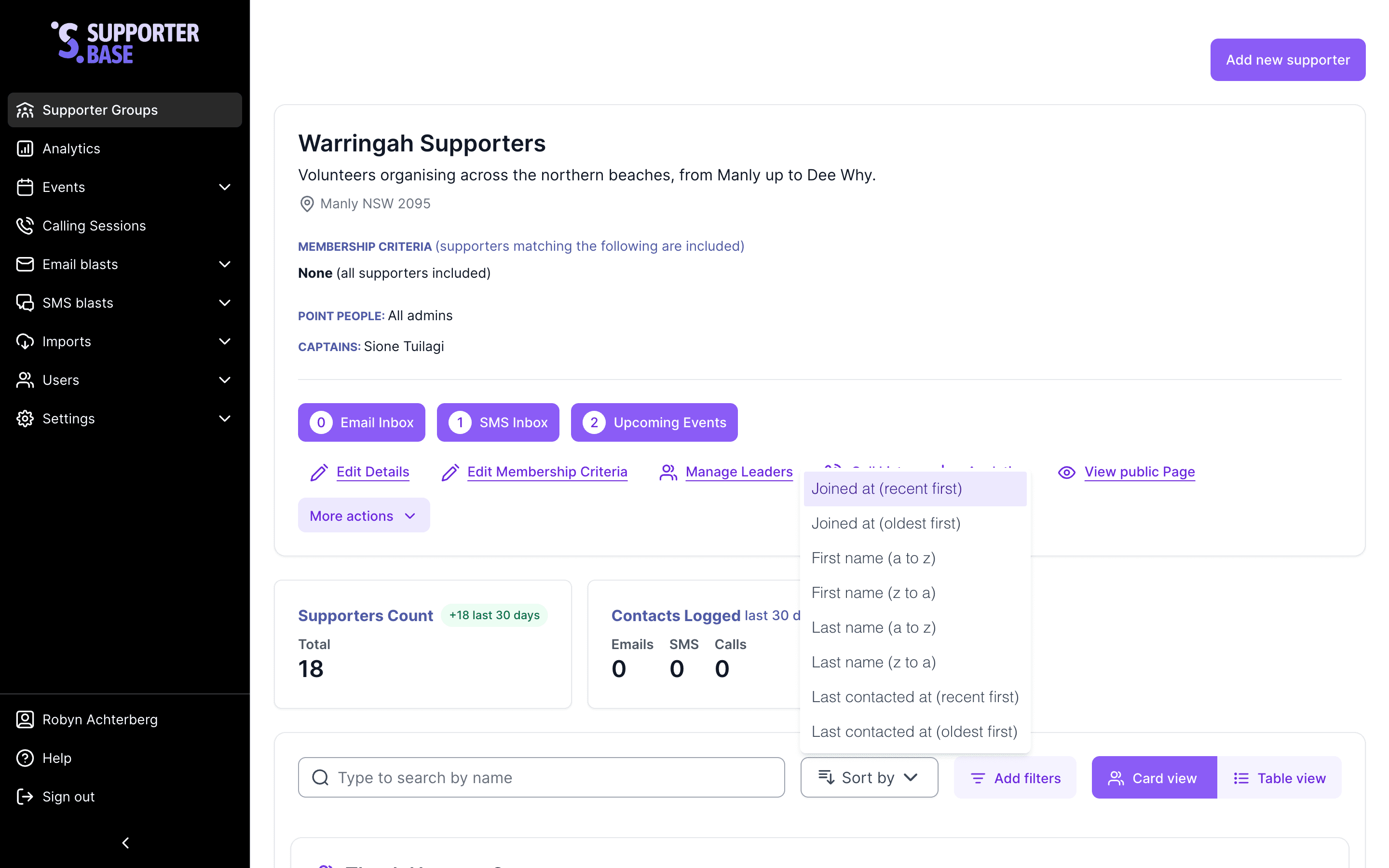
The sort dropdown at the top of the supporter list is labelled with the current sort. Pick Joined at (recent first) or Joined at (oldest first). The group page opens on Joined at (recent first).
Weekly welcome check
Turn on the weekly new group members digest and this check arrives in your inbox every Monday with the week's new members already filtered. Send a short welcome email or SMS to new supporters. This quick touchpoint helps build engagement early and makes them feel part of the community right away.