

Export a roster
Get the published roster as a PDF to print or a CSV for a spreadsheet
Export a roster as a PDF you can print for the day, or as a CSV for a spreadsheet. SupporterBase emails you a secure link once the file is ready.
What gets exported
An export covers what is published on the roster:
- Published shifts, across every day of the roster
- Draft shifts stay private and are left out entirely
Exports only include published shifts
If a shift matters on the day, publish it before you export.
Exporting
Open the roster board
Open the event you're rostering and click the purple Roster & shifts button below the event details.
Open the export dialog
Click Export roster. The dialog is headed Export roster for the event's name, so you can check you're on the right event.
Choose a file format
Set File format to one of the two options. PDF for printing or sharing is selected for you unless you change it.
- PDF for printing or sharing gives you a formatted document, which is what you want for the day itself.
- CSV for a spreadsheet is best if you're working with the data elsewhere, or merging it with something else.
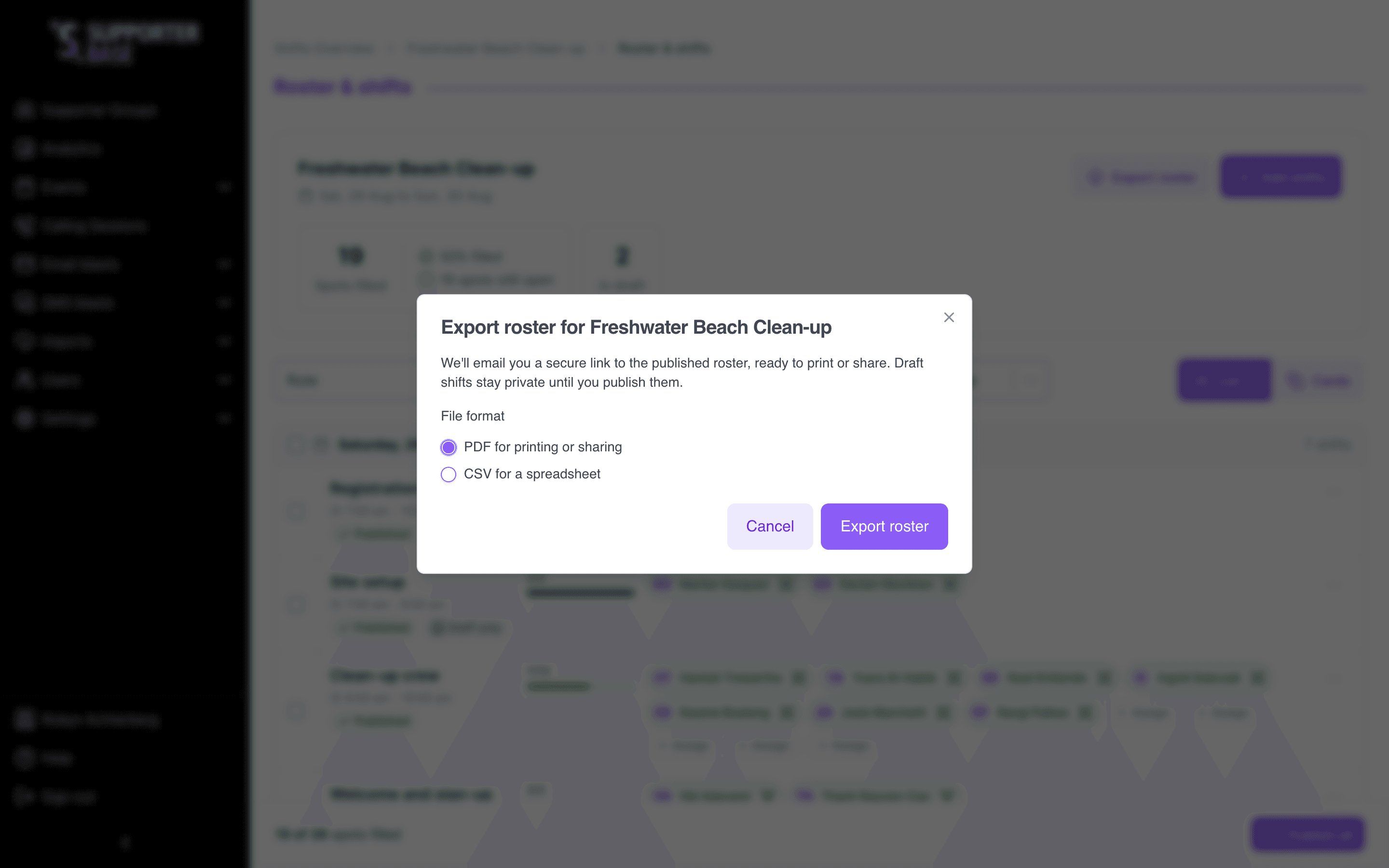
Start the export
Click Export roster. The file is generated in the background, so you don't have to wait on the page, and you'll see Check your inbox once the request goes through.
Getting your file
The emailed link
You'll get an email with a secure link to download the roster. Only you can open it, so forwarding the email won't give somebody else access.
Sharing it with other organisers
Share the exported file itself once you've downloaded it.
If there's nothing to export
If none of the roster has been published yet, the export tells you there's nothing published to export yet and asks you to publish first.
This is the most common export problem, and it's almost always a roster built in one sitting and never published. Check the In draft count on the board.
If the export fails
If the dialog says Couldn't export the roster, something went wrong on our end:
- Try the export again.
- If it keeps happening, email info@supporterbase.com.