

Publish a roster
Check exactly who gets an email, then make your shifts live to volunteers
Publishing puts your shifts in front of volunteers, opens self-signup spots on the public sign-up form, and emails everyone your changes affect.
There is no undo
Emails go out the moment you publish. Read the impact preview before you confirm, because that's the last point at which anything is reversible.
Publishing
Choose what to publish
You can publish one shift, a selection, or everything.
- Publish on the shift itself, for a single shift.
- Publish in the bulk actions bar, for several. Select them with their checkboxes, or select a whole day using the day's checkbox.
- Publish all, for the lot.
Publishing a day at a time is the usual way through a weekend roster.
Read the impact preview
The dialog works out who gets an email and shows you, grouped by what's happening to them. Click a row to see the names in that group.
Check the warnings
The dialog flags Staff only shifts with empty spots, and any cancellation email you are about to send.
Confirm
Click the confirm button. Its label depends on what you're publishing:
- Publish shift for a single shift.
- The number of shifts, for several.
- Publish changes for edits to shifts that are already live.
The shifts become visible to volunteers, open self-signup spots appear on the public sign-up form embedded on your NationBuilder event page, and the emails go.
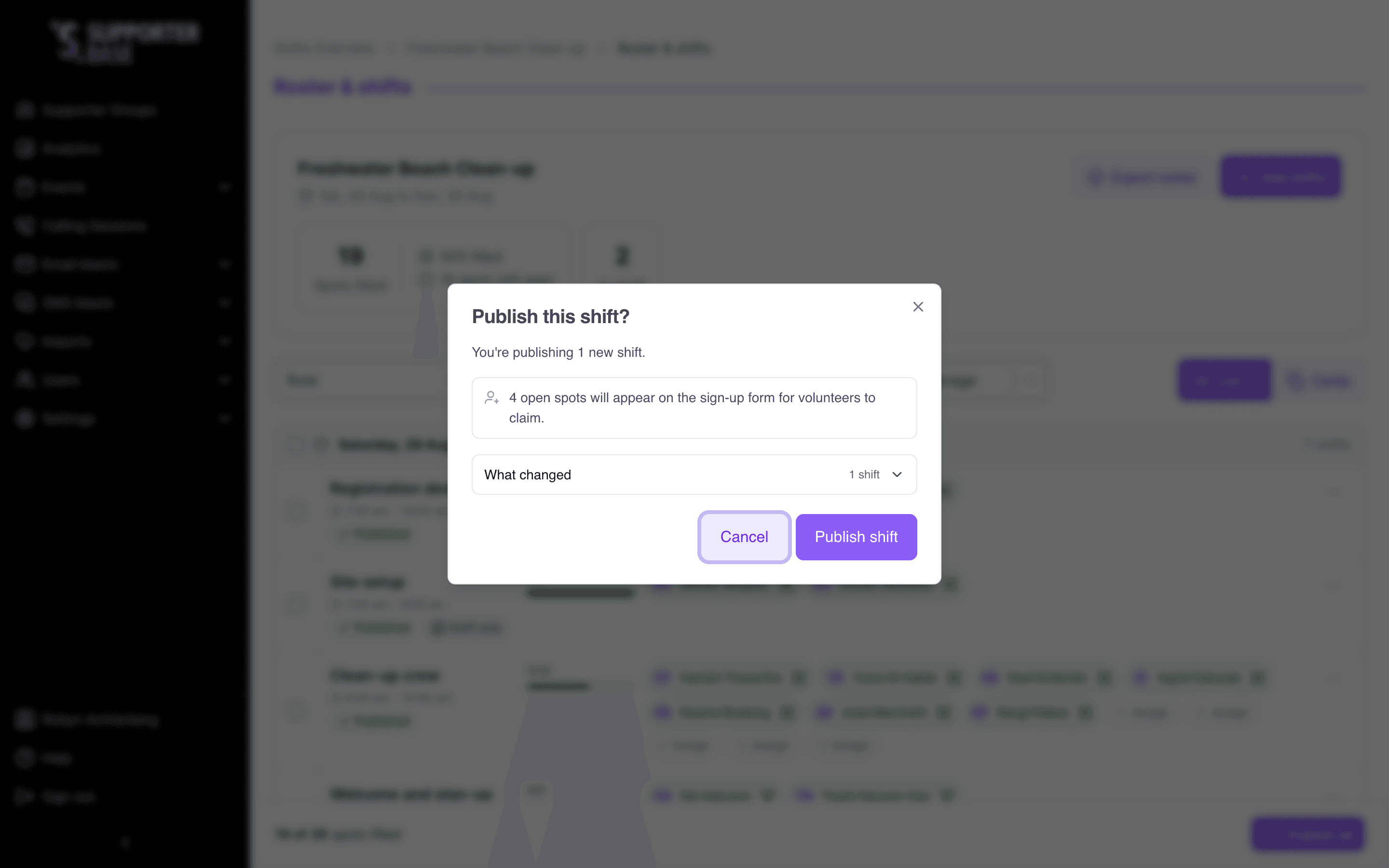
What the impact preview shows
| Group | What it means |
|---|---|
| Added to a shift | They've been rostered on |
| Shift details changed | Something about a shift they're on has moved |
| Shift cancelled | A shift they were on is no longer happening |
It also summarises what you're publishing: how many new shifts, how many edits, how many removals, and across how many days. Where you're publishing self-signup shifts, it counts the open spots that will appear on the sign-up form for volunteers to claim.
Staff-only shifts with empty spots
If any shift you're publishing is Staff only and still has empty spots, the dialog says so. Volunteers can't sign up for those, and an empty staff-only spot stays empty unless you assign someone.
Cancellations
If publishing would tell somebody their shift is cancelled, you have to tick an acknowledgement confirming you understand how many volunteers will be emailed, and that there's no undo.
When nobody gets an email
Often the preview will tell you Nobody gets an email, and explain that publishing only updates your roster board. It happens when your changes don't touch anyone:
- Publishing an empty shift.
- Tidying a role name on a shift nobody is on.
- Adjusting a shift whose volunteers aren't affected by the change.
If everything you selected is already live, the dialog says Nothing to publish and suggests making a change first.
Publishing removals
Taking a volunteer off a published shift, or deleting a published shift, doesn't take effect for your volunteers straight away. It's staged, shown on the board as Removed or Pending removal, and only becomes real when you publish it.
Until then the volunteer is still on the roster they can see, still expecting to turn up, and you can undo it. Once published, they're emailed that their shift is cancelled.
Publish before you export
Exports only include published shifts. Publish first, then export, or half your printed roster will be missing.
If publishing fails
If the preview can't load, or publishing fails, the dialog says so and asks you to close it and try again. Nothing is sent when this happens, and it's safe to retry.